How Do You Learn to Code?
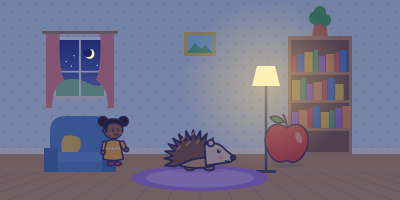
Mila had a whole game in her head. A hedgehog would run along the bottom of the screen, apples would drop from a tree, and every apple the hedgehog caught would earn a point. The only problem was that Mila had no idea how to build it. So she knocked on the door of her big brother Ivo, who was sixteen and wrote code for fun. "How do you learn to code?" she asked. Ivo grinned. "You make something," he said. "Start with the hedgehog."
First Ivo explained what code is. Coding means writing instructions, called programs, that a computer can follow to do a job. A set of steps that solves a problem is called an algorithm, and even a recipe counts as one. So Mila wrote her game as a recipe on paper. Make an apple fall from the top. If it touches the hedgehog, add one point. If it hits the ground, start a new apple. It looked simple, which turned out to be the first surprise.
Ivo told her to begin with Scratch, a free coding tool released by the MIT Media Lab in 2007, made by a team led by Mitchel Resnick. In Scratch, you do not type commands. You drag colored blocks and snap them together, so you never have to worry about a missing comma. Mila drew her own hedgehog with a round brown body and a tiny nose. Then she drew a red apple. They looked ready to play, even though neither of them could move yet.
Ivo showed her a trick. Scratch is named after the way DJs scratch records, mixing sounds together to make something new. In the same spirit, Scratch lets you remix: you open someone else's project, look inside, and change it to make it your own. Kids have made more than a billion Scratch projects, so somebody had almost certainly made a falling thing before. Mila found a game with falling snowflakes, peeked at its blocks and saw how the falling worked.
Her first program needed two new ideas. One was a loop, a block that repeats the steps inside it, so the apple could keep falling without Mila writing "move down" a hundred times. The other was a conditional, an "if" block that checks whether something is true, such as whether the apple is touching the hedgehog. In Scratch, both of these live with the Control blocks. Mila clicked the green flag to start her game. The apple fell. It fell straight through the hedgehog.
That was her first bug. Finding and fixing a mistake is called debugging, and Ivo said that every coder he knew did it all the time. The first step in debugging is usually to make the problem happen again, so you can watch it. Mila clicked the green flag five more times. The apple passed through the hedgehog every single time, and her score stayed at zero. At least the bug was reliable. Now she only had to figure out where it lived.
Ivo handed her a rubber duck from his desk. "Explain your code to it," he said, "one block at a time." Mila thought this was a joke, but it is a real method, named after a story in a book for programmers. People often spot the answer while explaining a problem out loud, even to someone who knows nothing about code. Halfway through her explanation, Mila stopped. Her "if" block was outside the loop, so it checked for touching only once, before the apple even fell.
Mila wanted to know why mistakes are called bugs. In 1947, workers testing a computer at Harvard University found a real moth trapped inside it. They taped the moth into their log book with a note saying this was the first actual case of a bug being found. It was almost certainly a joke. Engineers had been calling little faults "bugs" since at least the 1870s, and the inventor Thomas Edison used the word in a letter in 1878. The moth was simply a very literal bug.
The history of debugging goes back even further. In 1843, a mathematician named Ada Lovelace published notes about a calculating machine designed by Charles Babbage. Her notes were three times longer than the article they explained, and they included step-by-step instructions for the machine, which is why she is often called the first programmer. Babbage himself wrote that she found a serious mistake in his math. Biographers still argue about how much of the work was hers, but the first programmer was also a debugger.
Once her game worked, Ivo showed her the kind of code he wrote, in a language called Python. Instead of blocks, he typed words. Python was started by Guido van Rossum during his Christmas holidays in 1989, and he named it after a British comedy show, Monty Python's Flying Circus. Python uses spaces at the start of each line to show which lines belong together. And the ideas Mila learned in Scratch, such as loops and "if" checks, carry straight over.
"But how does the computer read Python?" Mila asked, staring at Ivo's screen full of words. It does not, exactly. A computer's processor understands only its own machine code, built from binary digits. Code written for people, which is called source code, has to be translated by another program first. Grace Hopper, an early computer scientist, pushed for languages built from English words. She was told that computers did not understand English. She kept working anyway. By 1952 she had one of the first translators running, and in 1959 she helped create COBOL, a language built from English words.
That weekend, Mila's little cousin played the hedgehog game for an hour and found two new bugs. Mila did not mind. She knew where the duck was. So how do you learn to code? You pick something you want to make. You build it in small steps, break it, and fix it. Then you try something harder. Try it without a computer: write the steps for making a sandwich, and ask someone to follow them exactly as written. Count the bugs.
Questions
- Read a big book first
- Make something
- Buy a fast computer
- The "if" block was outside the loop, so it checked only once
- The hedgehog was too small
- Scratch was broken
- Play music louder
- Delete a project
- Open someone's project and change it to make your own
- Moths cannot fly
- People already called mistakes bugs
- The computer was a toy
- She liked the sound
- To make the bug happen again so she could watch it
- To finish the game faster
- It is written in French
- A computer's processor only understands its own machine code
- It is too short
Words to know
- program: computer instructions
- algorithm: problem-solving steps
- loop: repeating block
- conditional: an if-check
- debugging: fixing mistakes
- remix: change and reuse
Answer key: How Do You Learn to Code?
- B. Make something
- A. The "if" block was outside the loop, so it checked only once
- C. Open someone's project and change it to make your own
- B. People already called mistakes bugs
- B. To make the bug happen again so she could watch it
- B. A computer's processor only understands its own machine code
Teaching a mixed class? Learning to code at three reading levels
Three true passages from the same facts, a basic, a middle and an advanced one, so every group reads about the same thing and the class can talk about it together. Print one PDF: a sheet for each group, marked with a shape instead of a level, and a page for you that says which is which.
- ● Be My RobotBasic, for about 6 to 8 · reading level 7 · 400 words · Flesch-Kincaid grade 1.7 · 5 questions
- ▲ How Do You Learn to Code? (this passage)Middle, for about 9 to 12 · reading level 10 · 1021 words · Flesch-Kincaid grade 5.4 · 6 questions
- ■ Debugging Since 1843Advanced, for about 13 to 16 · reading level 13 · 1449 words · Flesch-Kincaid grade 8.3 · 6 questions
The story in pictures
- Part One · A game in her head
- Part Two · Blocks
- Part Three · Bugs
- Part Four · Typing for real
For the teacher: how this passage is levelled
“How Do You Learn to Code?” is a reading level 10 story. Every Peabody story at this level is written and checked to keep sentences to 38 words or fewer, to aim at an average of 12 words a sentence, and to show 70 to 100 words on a screen. At most 13% of its words may be off the familiar-word list. Children in 6th grade start at this level.
| This passage | 1021 words, 12 screens, 6 multiple-choice questions with an answer key, and 6 vocabulary words with kid-sized meanings |
|---|---|
| Longest sentence at this level | 38 words |
| Words on a screen | 70 to 100 |
| Skills practised at this level | vocabulary, spelling |
Reading level 10: the limits, a real sample and the free games. Peabody is a learning app, not an assessment: use the questions to talk about the story, not to grade a child.